

Top USB 3.2 Gen 2 Type-C Cables for Fast Charging and Data Transfer
2026-10-30
Here’s a quick test: grab the USB-C cable on your desk. Would you trust it to move 200GB of footage at 10Gbps while charging your laptop at 100W? If not, you’re not alone—many cables labeled 'USB-C' fall far short of USB 3.2 Gen 2’s promise. That’s why we’ve narrowed down the top Type-C cables for genuinely fast charging and high-speed data transfer, and EBCYX earned its spot through real-world testing, not marketing fluff.
What Gen 2 Actually Requires From a Cable
The jump to Gen 2 speeds doesn't hinge on magic materials or exotic shielding—it comes down to how well a cable preserves signal integrity across longer stretches. Unlike basic USB 2.0 links, which barely flinch at casual wiring, Gen 2 demands tighter impedance matching and much stricter control over crosstalk between the high-speed differential pairs. If the twists or spacing drift even slightly, you'll see dropped packets and reduced throughput long before the cable outright fails.
Another overlooked piece is the connector itself. The solder joints and internal paddle cards need to handle 10 Gbps without turning into miniature antennas. Shorter, well-terminated ground paths and minimal stub lengths matter more than braided jackets or gold-plated shells. In practice, a properly engineered Gen 2 cable often feels thinner and more flexible than older “heavy-duty” designs because the focus shifts from bulk shielding to precise geometry and termination quality.
Finally, real-world Gen 2 links lean heavily on active components for longer runs. Once you pass the one-meter mark, passive copper starts losing too much high-frequency energy, so embedded redrivers or optical conversion become necessary. A cable that meets the official spec at half a meter might completely fail to negotiate Gen 2 speeds at two meters, which is why length ratings are just as critical as the marketing buzzwords printed on the packaging.
Why Charging Wattage Alone Misleads Buyers
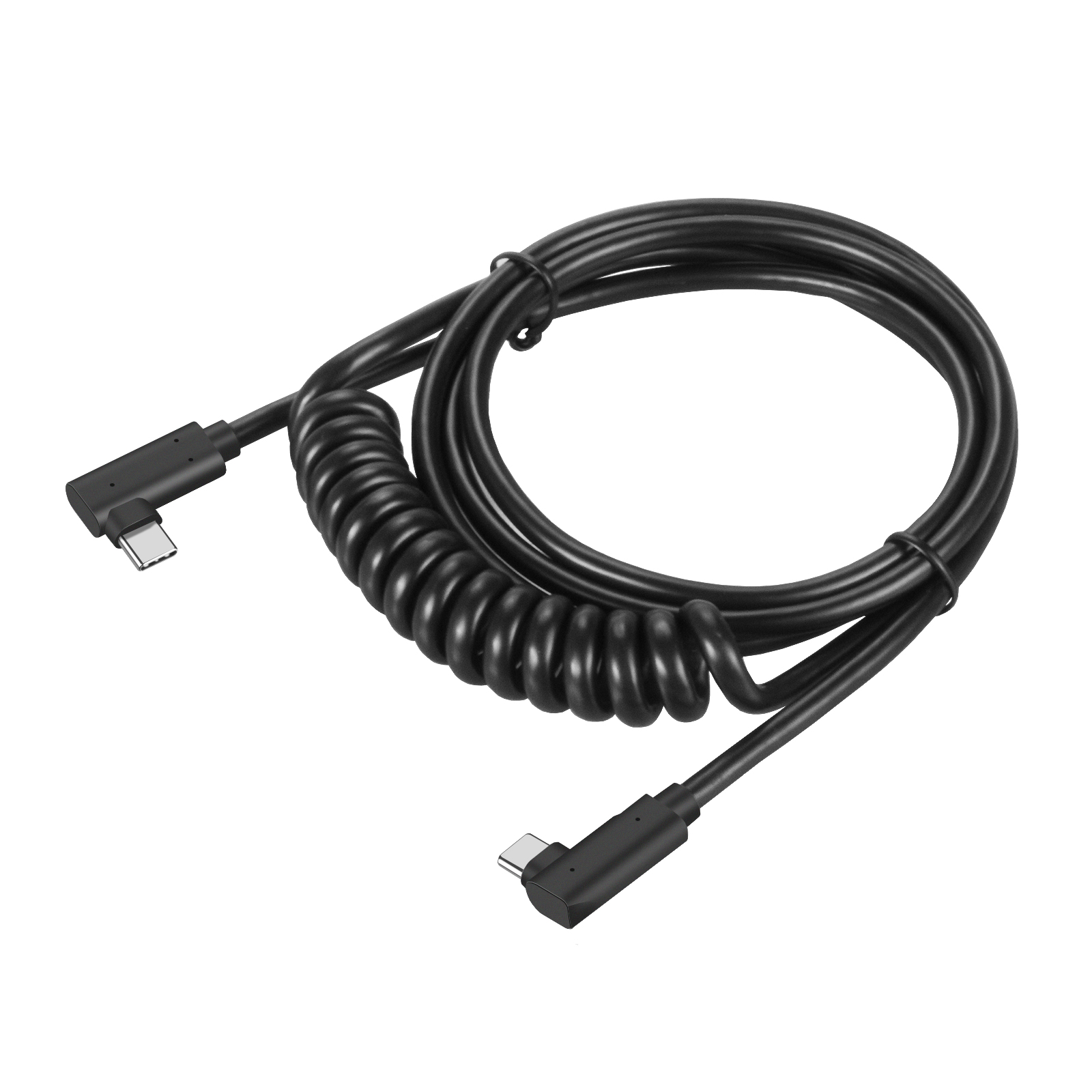
A charger labeled 65W might sound like it can pump 65 watts into any device, but that number only tells part of the story. Most modern devices negotiate voltage and current through protocols like USB Power Delivery or proprietary standards. If the charger doesn't support the exact voltage tier your laptop or phone requests, it can drop down to a much lower wattage, leaving you with sluggish charging speeds despite the impressive headline figure.
Thermal constraints and multi-port allocation further muddy the picture. A single 100W charger may only sustain that output for a few minutes before heat forces it to throttle to 70W or lower. Plug in a second cable and the total available power gets split in ways the box rarely explains. Without knowing sustained output curves and per-port behavior, buyers end up comparing numbers that never translate to real-world performance.
Cable and connector limitations add another layer of confusion. A charger might support 100W, but a standard 60W-rated cable silently caps the flow. The device itself also imposes a ceiling: many phones accept no more than 25W, so pairing them with a 100W brick is wasted money. Wattage alone ignores these bottlenecks, steering shoppers toward specs that look great on paper but fail to deliver in daily use.
Length, Shielding, and the Speed You Really Get
Most people fixate on the version number stamped on the cable, but what actually determines a stable picture is how the signal survives the trip. With passive copper HDMI, the length ceiling is not a hard rule in the spec; it is a physics problem. Once you push past roughly three meters for a 48Gbps Ultra High Speed signal, attenuation climbs fast enough that the display may flicker, drop to a lower refresh rate, or blank out entirely. That is why you see active fiber cables for longer runs, not because the copper is defective, but because the electrical losses become too steep.
Shielding gets oversold as a magic bullet. Thicker foil or braided layers do reduce interference from nearby power cords or Wi-Fi, but they cannot compensate for poor twist geometry or weak connector termination. A heavily shielded cable that is too rigid often fails at the connector after repeated bending, which is worse than modest shielding that stays intact. Look for consistent coverage along the entire run, especially where the cable meets the plug, because that junction is where most noise sneaks in.
The speed printed on the box is a ceiling, not a promise. A cable rated for a given bandwidth will only deliver it if the source, the sink, and every adapter in between agree on the same mode. Real-world setups often negotiate a step down because of a marginal connector, a dusty port, or a length that is just over the practical limit. Before blaming the cable, check what the display actually reports as the active link rate; that number is usually more honest than the marketing label.
E-Marker Chips Are the Hidden Gatekeeper of 10 Gbps
Most people plug in a USB-C cable and expect blistering transfer speeds, but hardly anyone stops to consider the tiny chip living inside the connector. That chip, called an E-Marker, is the silent referee deciding whether your cable can actually hit 10 Gbps. It stores crucial identity data about the cable’s capabilities, from supported current levels to signal integrity parameters. Without a properly programmed E-Marker, even a premium cable gets treated like a basic one, throttled down to older USB speeds.
When you connect two devices, the host immediately queries the E-Marker to learn what the cable can handle. If the chip is missing, counterfeit, or reports lower specs, the system falls back to conservative limits—often just 5 Gbps or even USB 2.0. That means a cable sold as “10 Gbps capable” can underperform drastically if its E-Marker doesn’t match the marketing. The chip essentially vouches for the cable’s high-speed credentials, and without that vouching, the full bandwidth never unlocks.
This hidden dependency explains why two cables that look identical on the outside can behave very differently in real-world transfers. The E-Marker is the true gatekeeper, quietly enforcing the speed ceiling. When shopping for a high-speed USB-C cable, it pays to check whether the E-Marker is compliant and correctly programmed—because that tiny sliver of silicon is what actually lets you enjoy the 10 Gbps you paid for.
Connector Fatigue and How Cable Design Prevents It
Connector fatigue is a gradual degradation that occurs when repeated mating cycles, cable movement, or environmental stressors compromise the physical and electrical integrity of the connection point. Over time, the contacts may lose their spring force, solder joints crack, or the housing develops micro-fractures, leading to intermittent signals or complete failure. This is especially problematic in applications where cables are flexed constantly or subjected to vibration, such as robotics, medical devices, and industrial machinery.
Thoughtful cable design can significantly reduce connector fatigue by addressing stress concentration at the connector-cable interface. A well-engineered strain relief, for instance, absorbs bending forces before they reach the solder or crimp points. Using highly flexible conductor stranding and jacket materials with the right durometer allows the cable to move without transferring torque or tension to the connector body. Additionally, designing the cable with an appropriate bend radius and integrating service loops in the cable routing further minimizes mechanical load on the connection, effectively prolonging the life of the assembly.
Real-World Transfers That Separate Solid Cables From Hype
Most cable reviews fixate on lab numbers, but real-world transfers tell a different story. A cable that benchmarks brilliantly can still choke on a cluttered desk, a phone case with a slightly recessed port, or a laptop pulling power while syncing data. The moment you plug in and drag a 20GB video folder, you notice whether the connection holds steady at full speed or collapses into fits and starts. Cheap cables often start strong, then throttle once heat builds up—especially in warm rooms or after thirty minutes of continuous use.
Another overlooked factor is how a cable behaves across mixed ecosystems. A cable that flies with a MacBook may crawl with an Android tablet, not because of raw specs, but because of handshake timing and power negotiation quirks. Solid cables handle these transitions without requiring you to unplug and replug. They also survive real torque: being yanked from a bag, coiled tightly, or left dangling from a car’s USB port for weeks. If the connector wiggles, the transfer speed drops long before the cable outright fails.
The surest test is repeated, large-batch transfers under less-than-ideal conditions. Take two cables that claim the same rating, plug them into the same hub, and copy thousands of RAW photos or a 4K project file. Watch for invisible retries—those moments when the progress bar pauses, stutters, or mysteriously jumps backward. A solid cable keeps a flat, predictable curve. The hyped one leaves you wondering if your drive is dying, when really the cable was never built for sustained load.
FAQ
The difference is hidden in the pin wiring and shielding. A cable that only charges and does basic data transfer often has fewer twisted pairs connected. For Gen 2 speeds, you need all the high-speed differential pairs wired properly plus extra shielding to prevent crosstalk at 10Gbps. If the connector is cheaply molded and doesn't say "10Gbps" or "Gen 2" on the jacket, assume it's not.
Look for the "240W" or at least "100W" label tied to USB Power Delivery 3.1 or 3.0. Not every 10Gbps cable carries that wattage — some max out at 60W because the manufacturer skipped the E-Marker chip. The chip tells the charger how much current the cable can safely handle. Without it, your laptop will trickle charge or refuse to charge at all.
The official USB spec for passive Gen 2 cables tops out around one meter. Beyond that, signal integrity drops unless the cable is thicker, uses active repeater chips, or steps down to USB 2.0 speeds. For pure charging, length doesn't affect wattage much if the copper is thick enough, but for 10Gbps I'd stick to one meter or look for an active cable.
Braiding helps with abrasion resistance and reduces tangling, but the real durability comes from the strain relief at the connector ends. A well-molded TPE jacket can outlast a poorly strain-relieved braided one. That said, nylon braid does protect against pets chewing and daily backpack friction better than smooth PVC. Check the connector barrel length and how much flex it allows before snapping.
The main advantage is future-proofing and charging headroom. The cable will still negotiate PD wattages up to its rating and won't bottleneck if you later plug in a portable SSD or a newer phone with 10Gbps transfer. The downside is slightly more stiffness and cost. If you only charge and sync photos occasionally, a good 60W USB 2.0 cable might be enough.
Yes, if you want to go above 3A or 60W charging. The E-Marker is a tiny chip inside the connector that reports the cable's power and data capabilities to the charger and host. Without it, USB-C defaults to a safe 60W ceiling and may not advertise Gen 2 speeds. So a cable missing this chip might still work for a phone but fail to charge a 100W laptop at full wattage.
Yes, they are. They'll drop down to the lowest common speed between the cable, port, and device. So if you plug a Gen 2 cable into an old USB-A port using an adapter, you'll get USB 2.0 or 3.0 speeds, not 10Gbps. The extra shielding and wiring don't hurt; they just don't get used.
Conclusion
When shopping for a USB 3.2 Gen 2 Type-C cable, the gap between marketing claims and actual performance is frequently wider than the cable itself. A cable that proudly advertises 100W charging might still be stuck at USB 2.0 speeds for data, because Gen 2 has stricter requirements than just thick power wires. Inside the connector, an E-marker chip has to negotiate the 10 Gbps link; without it, even a fancy-looking cable will silently drop to 480 Mbps. Length and shielding also matter far more than most people assume. Once you go beyond a meter, poorly twisted pairs or missing foil wraps introduce crosstalk and signal loss, turning a supposed 10 Gbps cable into something that can't sustain a stable connection. Connector fatigue is another quiet killer — a lack of strain relief or cheap soldering can cause intermittent disconnects after months of regular use, even if the cable looks pristine on the outside.
Real-world file transfers are what separate solid cables from hype. A dependable Gen 2 cable should maintain consistent throughput near the theoretical limit during a multi-gigabyte transfer, not just burst fast for a few seconds before throttling. In practice, cables with proper shielding, a certified E-marker, and robust overmolding handle bends, yanks, and hot-plugging without negotiation errors. That's why relying on charging wattage alone is a trap: a cable might pump 240W into a laptop yet choke on 10 Gbps data because it was engineered only for power. Before buying, check whether the cable explicitly supports Gen 2 data, not just USB-C charging, and consider the length you actually need — shorter cables are more forgiving, but a well-built two-meter cable with active signal conditioning can still work if the design is honest. A truly top-tier cable doesn't make you choose between fast charging and reliable data; it delivers both without drama.
Contact Us
Contact Person: David Yang
Email: [email protected]
Tel/WhatsApp: 8615814734054
Website: https://www.ebcyx.com/